
Before you arrive
How-to
Do Self Check-in
Fill in your details, ID and House Rules on your phone before you arrive, so the team can finish your check-in quickly.
Who can do this: Guest
Updated 2 Oct 2026
Self Check-in is a short form you fill in on your phone before you arrive. It does not replace check-in at the property. Our team finishes your check-in when you get there.
Before you start
- You need a booking in your guest account. It can still be waiting for our approval.
- Your stay must still show Reserved. You can send the form only once.
- Keep your ID ready. You will photograph the front and the back the first time.
- A selfie is offered on the form. You can add one.
- If you are travelling from outside India, have your passport and visa details ready too.
- If you booked through a travel site, read the article Self Check-in if you booked through a travel site, by phone, or as a walk-in. Your form has one extra step.
Steps
Start the form
- Sign in to your guest account.
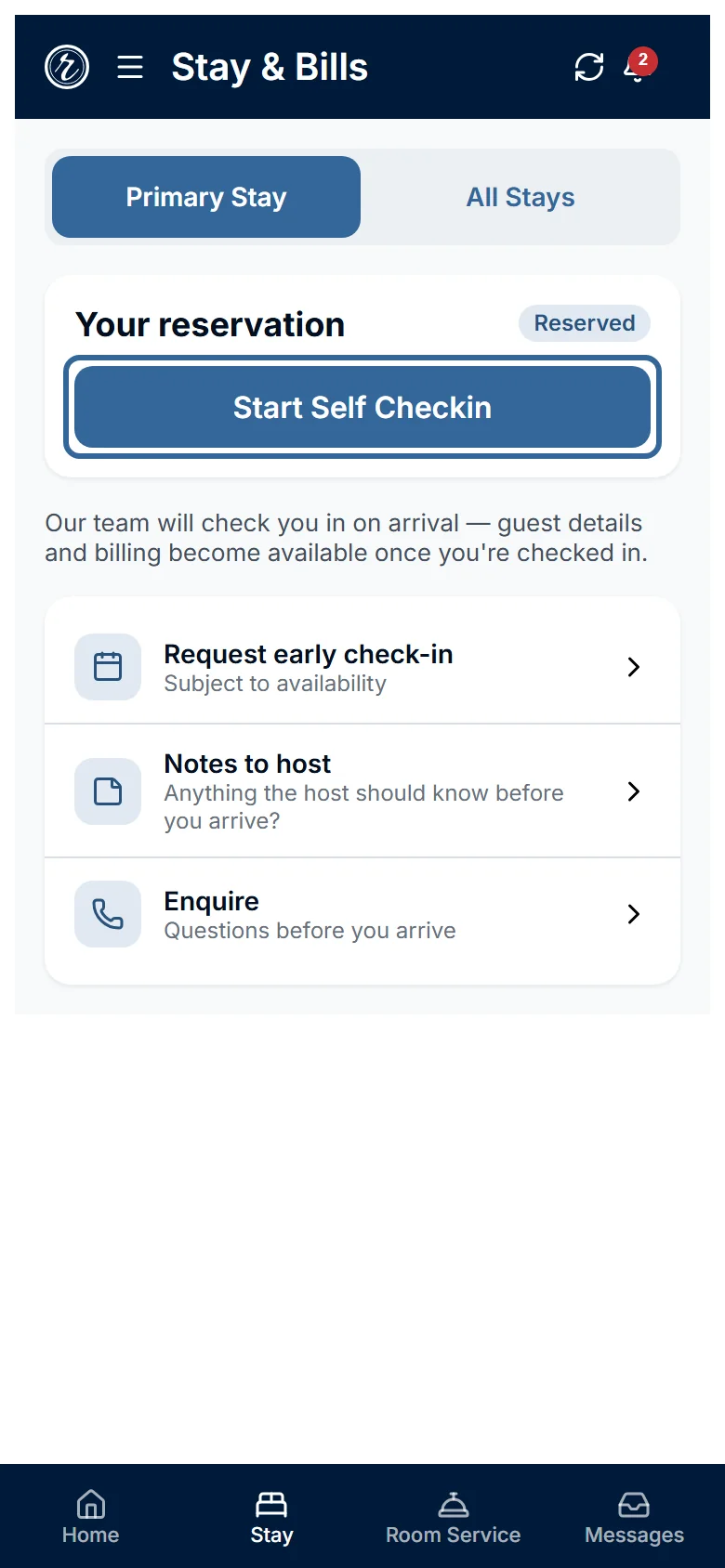
- Open the Stay tab.
-
Tap Start Self Checkin.
Confirm your details
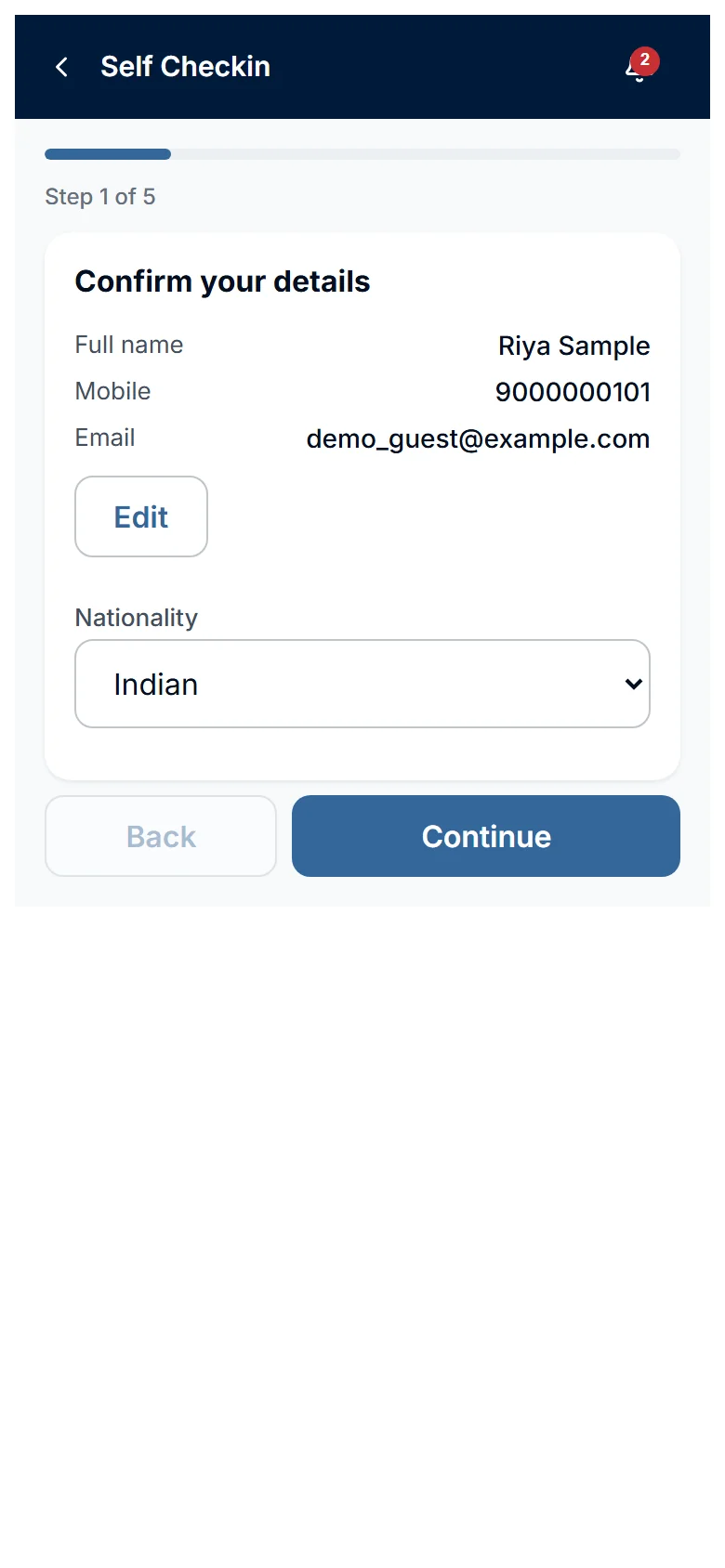
- Check your name, mobile and email under Confirm your details.
- Tap Edit to correct any of them.
- Choose your Nationality.
-
Tap Continue.
Add your ID
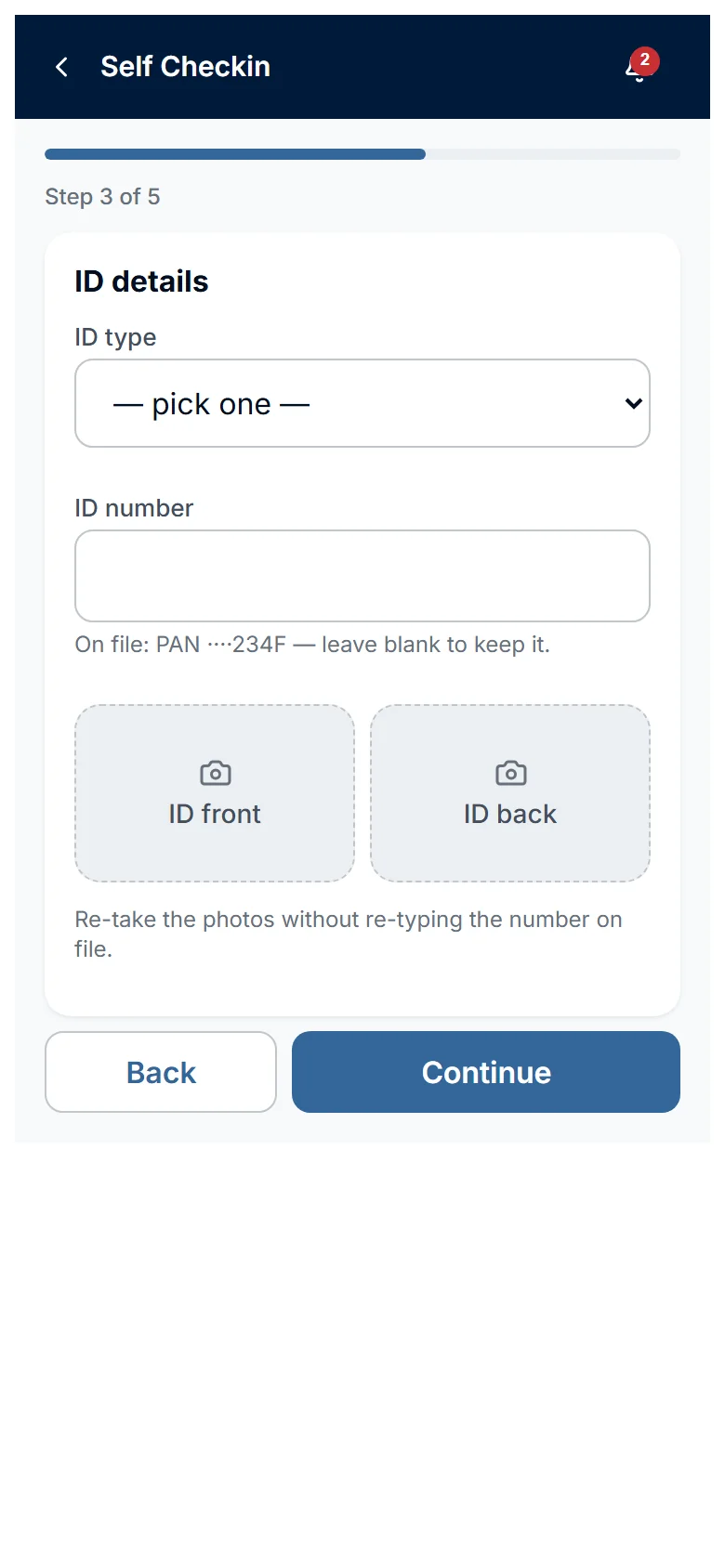
- Tap Use this ID if the form shows the ID we already hold for you.
- Tap Use a different ID instead to enter another ID.
- Choose your ID type.
- Enter your ID number.
- Add the ID front photo.
- Add the ID back photo.
-
Tap Continue.
If you chose Foreigner, the form asks for your Passport number instead. It also asks for your Visa expiry and Visa photo.
Add your selfie
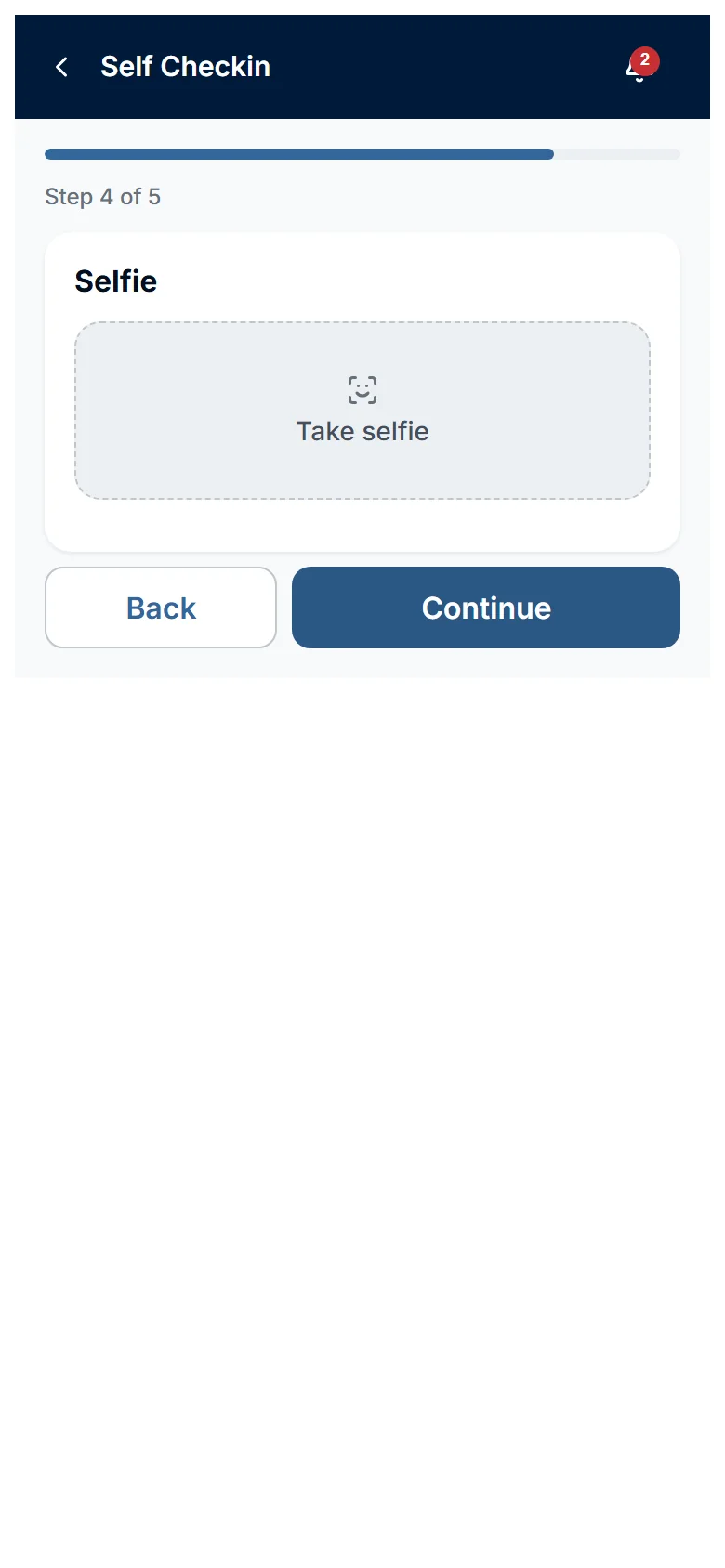
- Tap Take selfie.
-
Tap Continue.
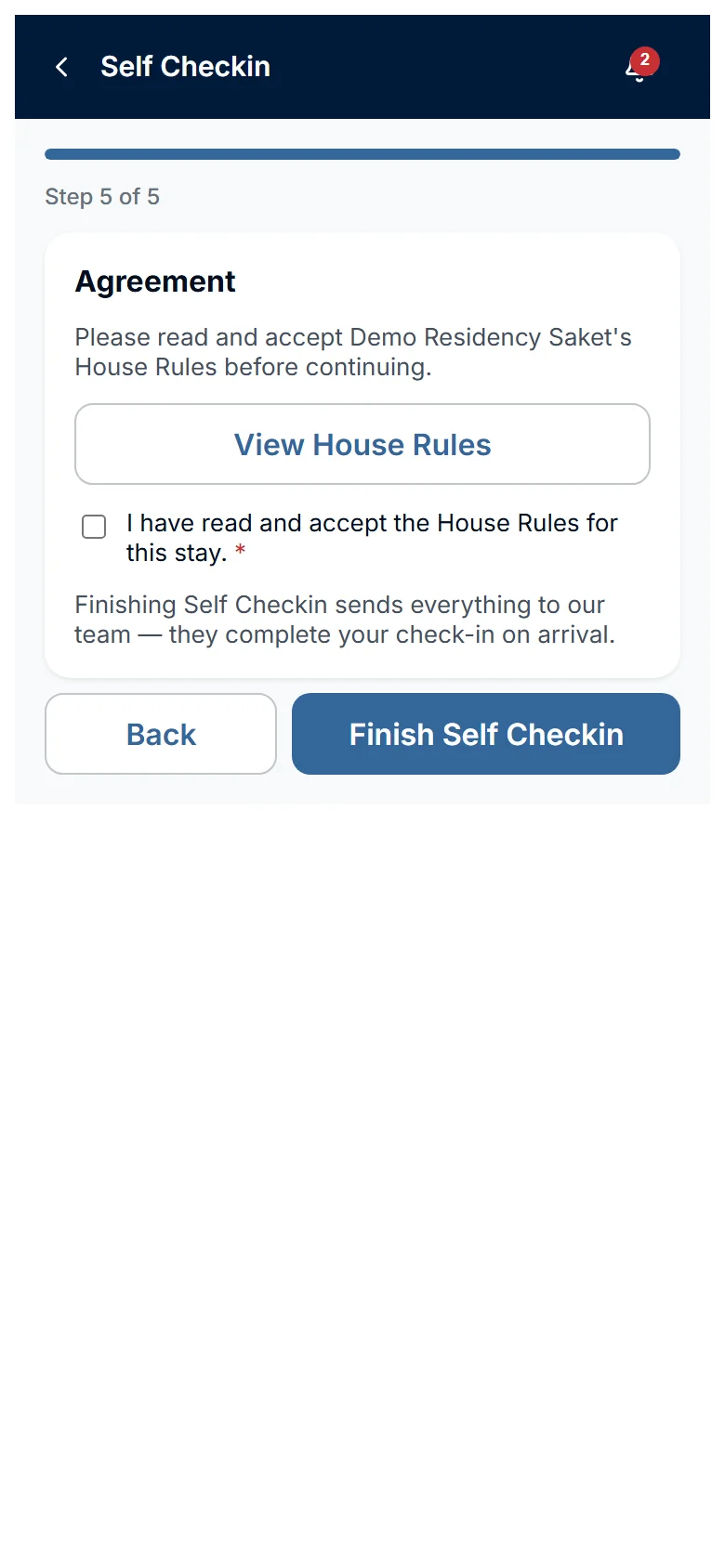
Accept the House Rules and finish
- Tap View House Rules.
- Read the House Rules.
- Tick the box that says you accept the House Rules.
- Draw your signature if the signature box appears. It is optional and shows on touch screens only.
-
Tap Finish Self Checkin.
What happens next
- Your form goes to our team. Your stay changes to Pre-Checked In.
- The Stay tab shows Self Checkin complete. It says our team will finish your check-in on arrival.
- The app then opens the Bills page, where you can see your bill and pay at the Front Desk. See the article See your bill and pay.
- You cannot open the form again. To change something, send a message from the Stay tab or the Messages tab.
- Our team completes your check-in at the property on arrival day.
Who does what
- You: fill in the form and accept the House Rules.
- Our team (Building Manager or Admin): reviews your details and completes your check-in when you arrive.
Watch out
- Tap Back to go to the step before. If you leave with the arrow at the top, the form asks Discard your progress?. Tap Exit to discard it, or Cancel to stay.
- The form has no autosave. Finish it in one go.
- Your stay can still be waiting for our approval. You can send the form anyway, but our team cannot check you in until the stay is approved.