
Your stay
How-to
What happens on arrival day
What to bring, who checks you in, and what your portal shows once you are checked in.
Who can do this: Guest
Updated 1 Oct 2026
You do not check yourself in on the day. Our team checks you in at the property. Your portal then unlocks the rest of your stay.
Before you start
- Do Self Check-in first if you can. It saves time at the desk.
- Bring a valid ID for every adult. Foreign guests bring a passport and visa.
- Every guest needs an ID check (KYC) on file. You can do yours before you arrive.
- Make sure your stay was approved. A stay that is still waiting for approval cannot be checked in.
Steps
- Sign in to your guest account before you travel.
- Open the Home tab.
-
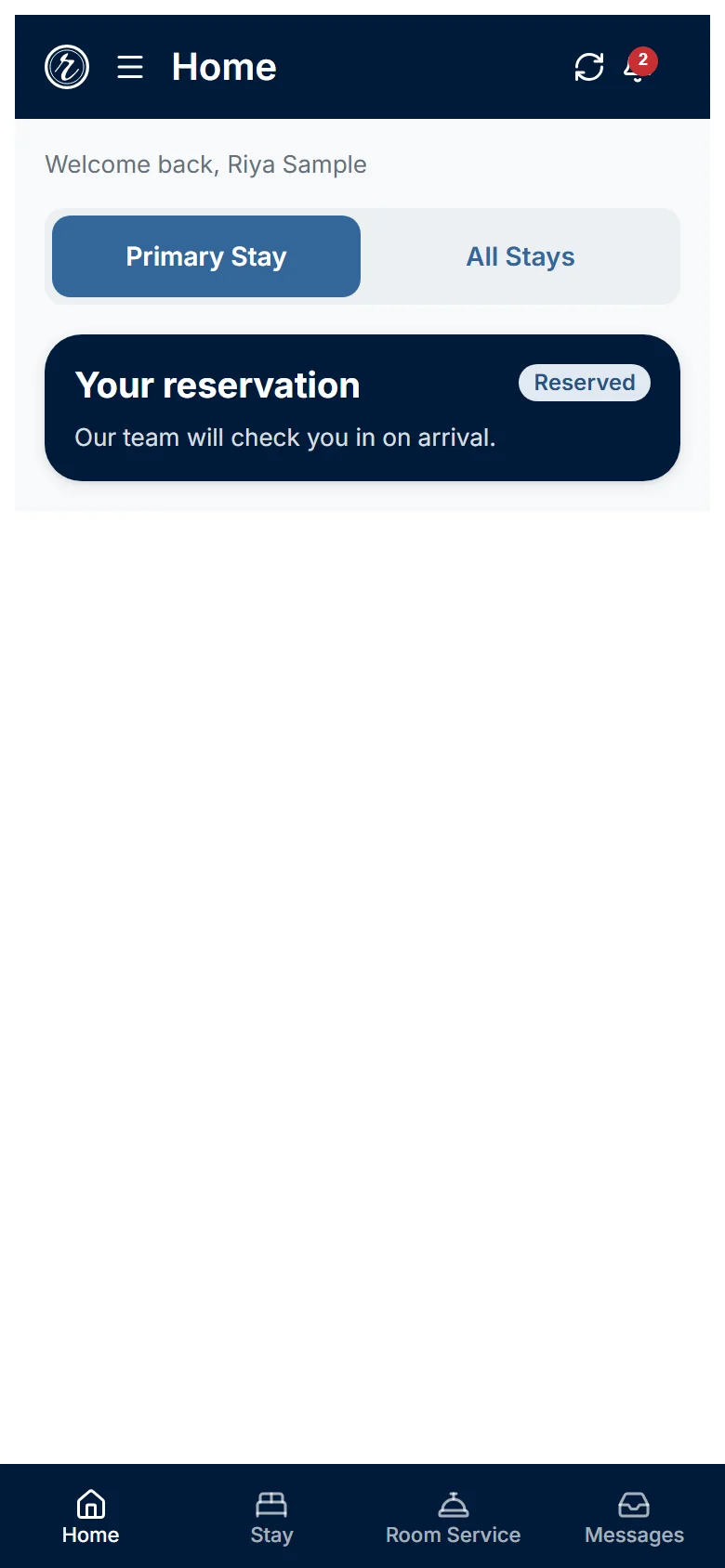
Check that it shows Your reservation and Our team will check you in on arrival.
-
Go to the property.
- Show your ID to our team.
- Wait for our team to finish your check-in.
- Refresh the page with the Sync button at the top right.
-
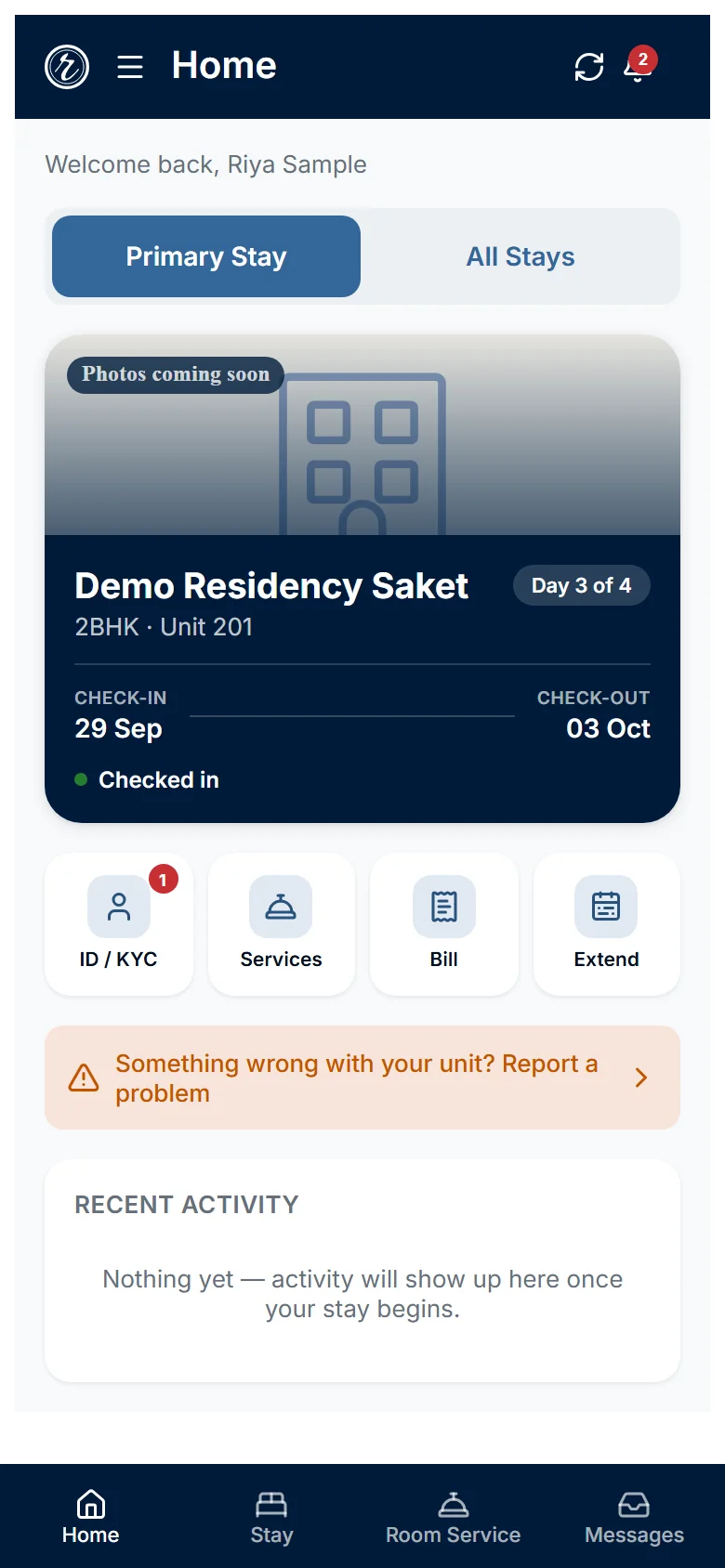
Open the Home tab again.
-
Tap the ID / KYC tile if it shows a number.
- Add the details of every other guest who is staying.
What happens next
- Your stay changes to Checked In. Home shows Checked in and a day counter such as Day 1 of 4.
- Your apartment number shows next to the apartment type.
- Room Service unlocks. See the article Order a service.
- The Stay tab shows your Folio with your charges and Total due.
- Every guest needs an ID on file. The Stay tab shows how many guests are complete.
- You can now ask to extend your stay.
Who does what
- You: arrive with your ID and add details for the other guests.
- Our team (Building Manager or Admin): checks your ID, assigns your apartment and completes the check-in.
Watch out
- Before check-in, Room Service shows Services unlock at check-in.
- Before check-in, Guest details shows Guest details not available yet. The guest list appears after check-in.
- Early arrival needs a request. See the article Ask to extend your stay, check in early or check out late.