
Booking
Reference
Booking and partner pages guide
The booking request page, the confirmation lookup, and the two pages for owners and hotels who want to partner with us.
Who can do this: Guest
Updated 1 Oct 2026
These pages are for sending a booking request, finding it again, and partnering with us. You do not need an account for any of them.
What it shows
Reserve (booking request)
- Choose an apartment type cards, each with a From price. They show when no type is chosen.
- Your selection, with Change apartment.
- Stay details: a calendar for Your dates, Adults and Children steppers, and an estimate.
- Review & reserve: your dates, your guests and the estimated total, with Reserve and Change dates.
- Contact details: Mobile number, Full name, Email and Special request or note (optional).
- A side panel, How your reservation works, with three steps, and Reach us directly.
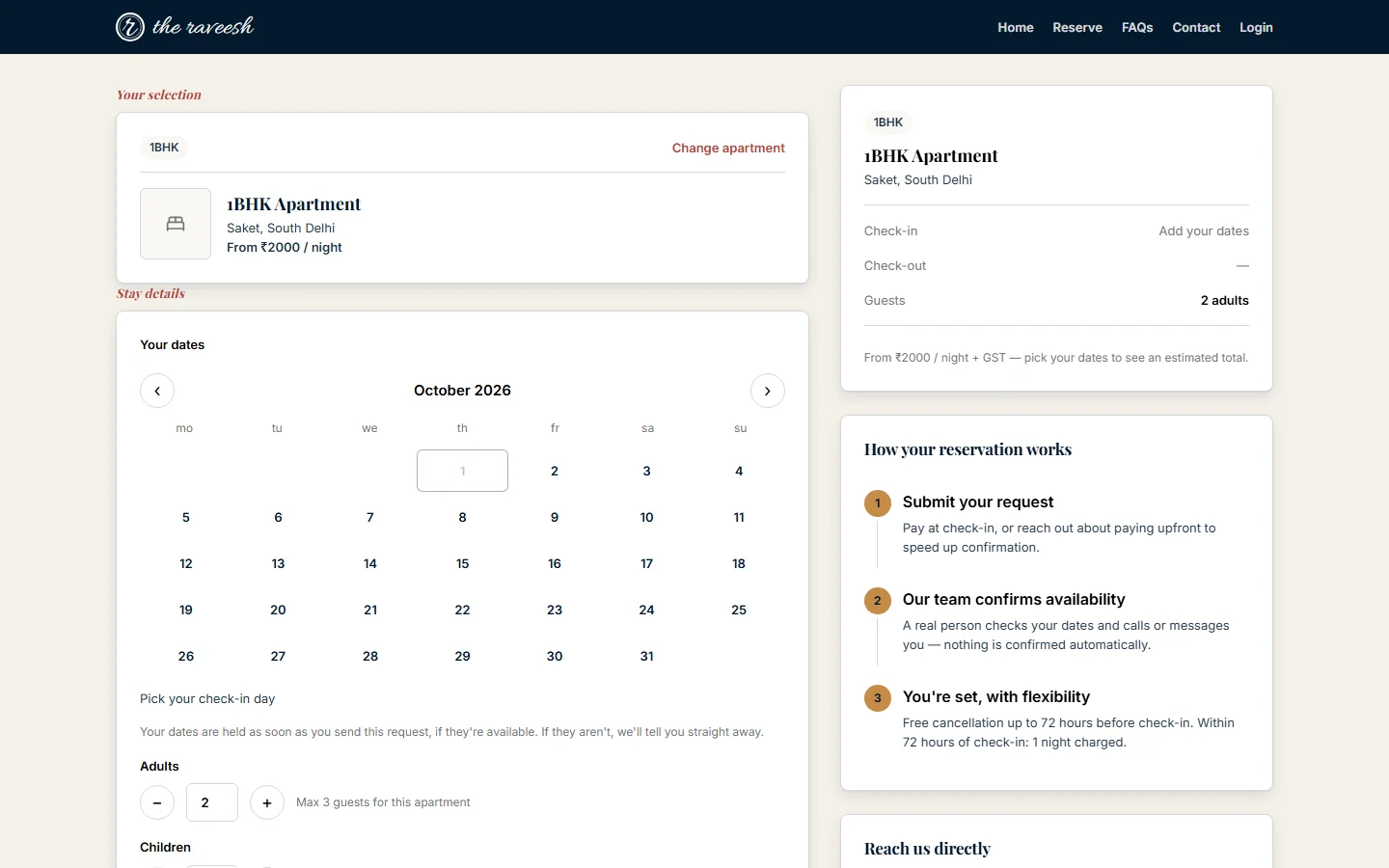
After you send the request
- Your dates are held, or Welcome back — we've got your details if we know your number.
- Your reference number, the apartment, the dates and the guests.
- For a new guest, a box named Set a password to track this booking online with a Password field and Create my account. It is the sign-up form inside the booking page.
- For a guest who already has an account, Sign in to your account.
- View / bookmark confirmation and Back to home.
Booking confirmation lookup
- Find your request with your reference number and Mobile number used for this request.
- After Find my request: Your dates are reserved, the reference, the apartment, the dates, the guests and your mobile number with most digits hidden.
- A wrong number shows We couldn't find a matching request.
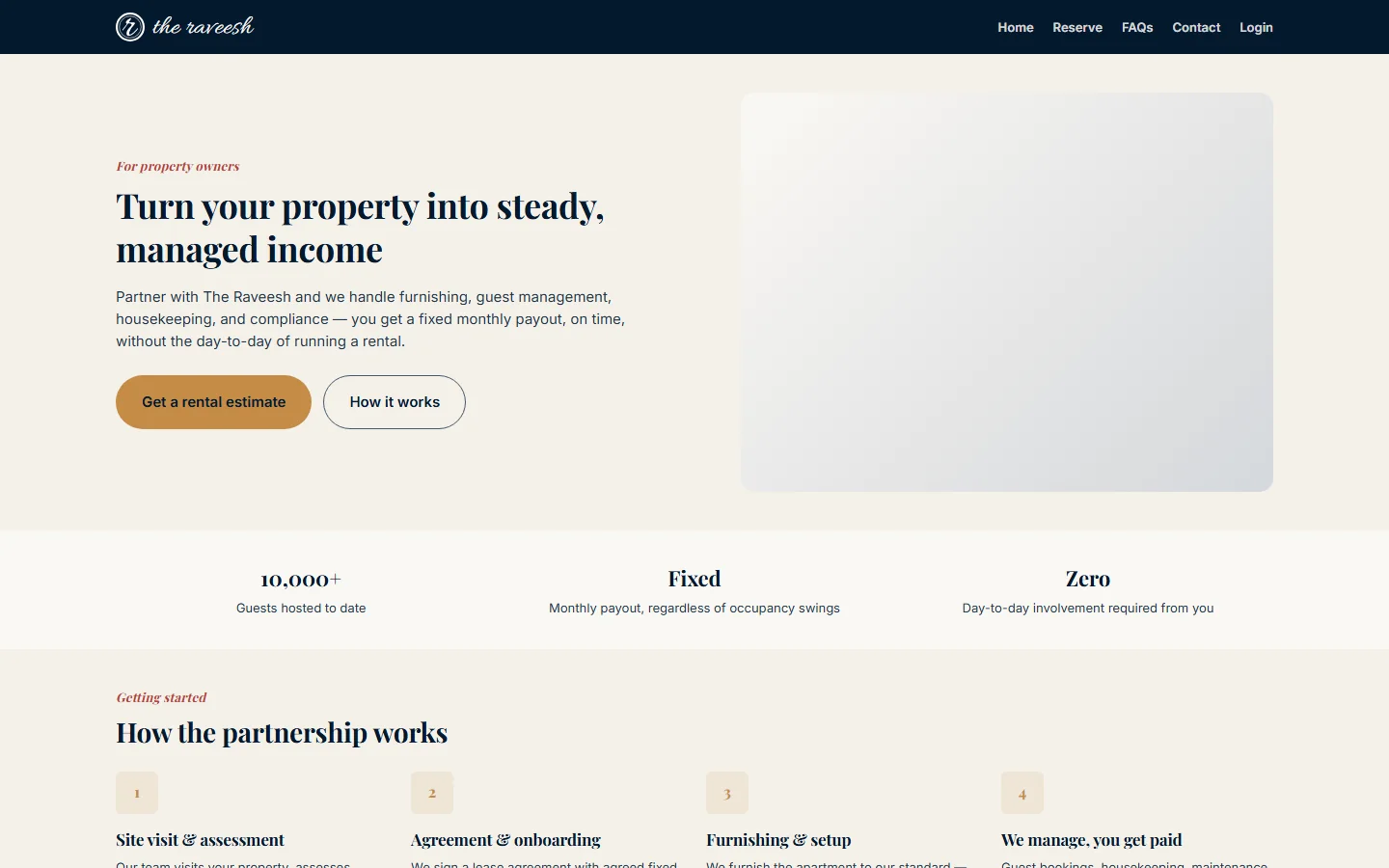
Partner with us
- A page for property owners. It says we lease the property for a fixed monthly payout.
- Figures, How the partnership works, and Why owners choose us over listing on their own.
- A form under Tell us about your property with Full name, Phone number, Property address, Configuration, Furnishing status and Anything else we should know? (optional).
- After Submit for review: a thank-you. It says to allow up to 30 days for a reply.
Register your hotel
- A page for hotels and guesthouses. It explains referrals: we send guests to partner hotels, and the hotel pays us a commission.
- How the referral program works and Why hotels partner with us.
- A form with Hotel / property name, Contact person & phone, Property address, Number of rooms, Average room rate (INR/night) and a note.
- After Submit registration: a thank-you. It also says to allow up to 30 days.
Buttons and what they do
- Continue to review: moves from dates to the review step.
- Reserve: shows the contact details.
- Yes, that's right: confirms the mobile number you typed.
- Hold my dates: sends the booking request.
- Change dates and Change apartment: go back a step.
- Create my account: starts sign-up. A code is then emailed to you.
- Find my request: looks up a request.
- Get a rental estimate, How it works, Register your hotel and How referrals work: scroll down the page.
- Submit for review and Submit registration: send the partner form.
Who sees it
- Everyone, with no account.
- Our team reviews every booking request, partner form and hotel form. Nothing is confirmed automatically.
- The confirmation lookup needs the reference and the same mobile number.
- Team sign-in pages are not part of this guide. The sign-up article covers them briefly.